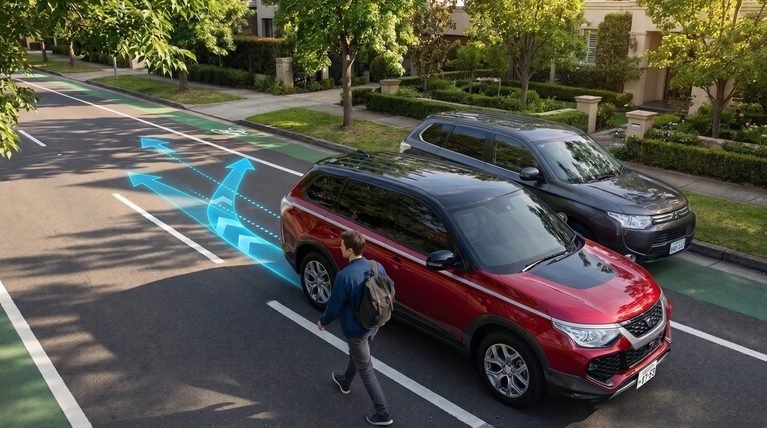
Google Gemini Arrives on Apple CarPlay for iPhone Users
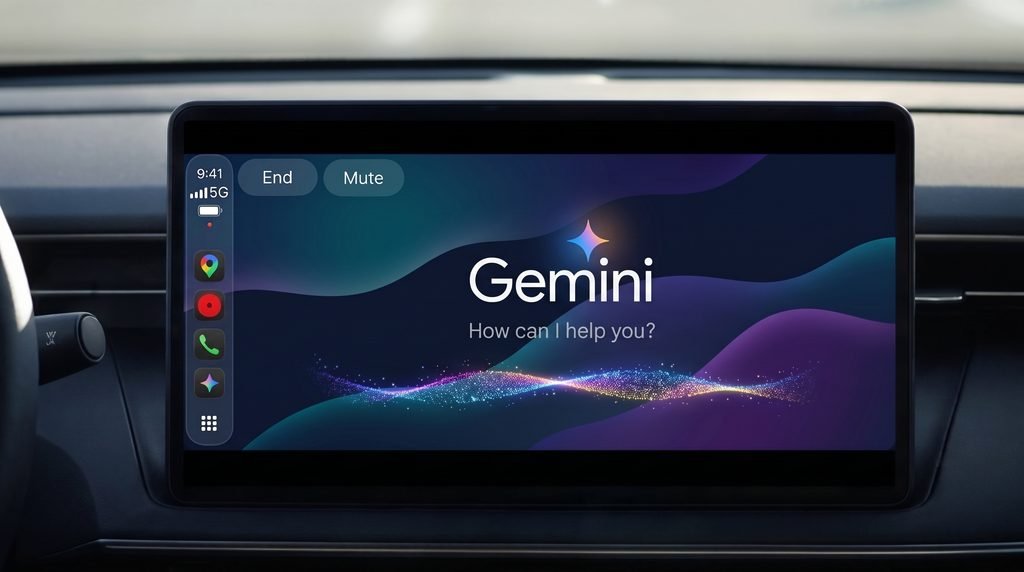
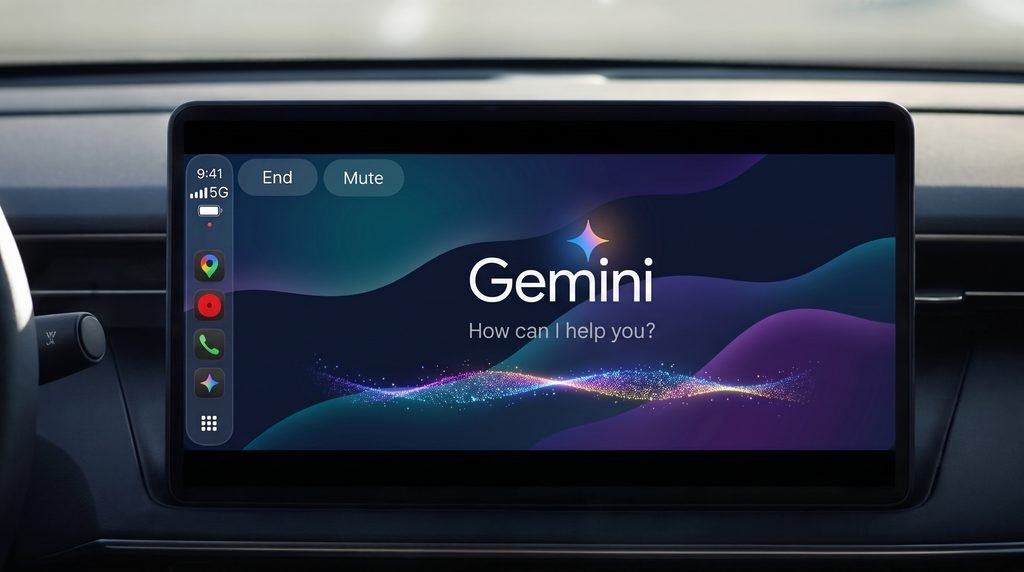
Google has officially introduced its Gemini app on Apple CarPlay, allowing iPhone users to interact with the AI assistant directly through their vehicle’s infotainment screen. With Gemini Live, drivers can have hands-free conversations, listen to summaries of their emails and calendar events, and continue the same conversations on their iPhones after leaving the vehicle. The feature is being rolled out globally in phases.
Using a smartphone while driving can be dangerous and is illegal in many countries. As a result, technology companies are increasingly bringing AI-powered assistants directly into vehicle infotainment systems to make digital services more accessible without requiring drivers to handle their phones.
As part of this trend, Google has announced that Gemini is now available through Apple CarPlay. The integration allows iPhone owners to communicate with Gemini Live using their car’s dashboard display and voice controls.
Drivers can interact with the AI assistant in a natural, conversational way, making it feel similar to talking with a passenger. This integration is designed to provide easier access to AI features while helping drivers keep their attention on the road.
According to Google, the new feature began rolling out globally on November 11 to iPhone users who already have access to the Gemini app. The rollout is taking place gradually and will support all languages in which Gemini Live is currently available.
Google had previously introduced similar AI assistant capabilities through Android Auto and vehicles powered by Google’s built-in automotive system. However, bringing the full Gemini app to Apple CarPlay marks the company’s first major expansion of this experience to Apple’s in-car platform.
With this move, Google is making its AI assistant accessible to more drivers, allowing iPhone users to take advantage of Gemini’s conversational features directly from their vehicle’s infotainment system.
How Does Gemini Work on Apple CarPlay?
Google says Gemini for Apple CarPlay has been designed to work like a helpful travel companion while keeping driver distraction to a minimum.
When users tap the Gemini icon on the CarPlay display or sidebar, they can either continue a recent conversation from where they left off or start a completely new discussion.
One of the main features of Gemini Live is its ability to support natural, ongoing conversations without requiring users to press a button after every question. Drivers can speak at their own pace, interrupt the assistant to add information, change topics, or temporarily pause a conversation when they need to concentrate on an upcoming turn or highway exit.
Another useful feature is conversation syncing. Discussions started through CarPlay are automatically saved in the Gemini app on the iPhone. For example, if someone discusses a project or listens to an email summary during a journey, they can find the same conversation in their phone’s chat history after parking. Similarly, conversations started on an iPhone before leaving home can be continued inside the car.
What Can Drivers Do with Gemini?
Google has highlighted several practical ways drivers can use Gemini through Apple CarPlay in its official blog post.
During the morning commute, users can ask Gemini about their daily schedule, upcoming calendar meetings, and when they should leave for their next appointment. They can also use the assistant to prepare for an important meeting before arriving at work.
Since Gemini can connect with Google Workspace services such as Gmail and Google Calendar, users can listen to daily briefings, review unread messages, get short summaries of lengthy email conversations, and prepare email responses using voice commands.
However, some personalized features, including Daily Brief, must be enabled beforehand. Google also notes that certain features are unavailable to users under 18, as well as in the European Economic Area and Nigeria.
Gemini can also help drivers discover interesting places along their route. For example, they can ask for recommendations for a nearby lunch spot where they can enjoy a quick stop or learn about the history of a famous building or landmark.
Google also sees the car as a convenient place for thinking and planning. Drivers can use Gemini to practice presentations, prepare for difficult conversations, or understand complicated subjects through simple explanations.
How to Start Using Gemini on CarPlay
Google says users do not need to download a separate application specifically for Apple CarPlay.
To get started, iPhone owners should update the Gemini app to its latest version, allow microphone access, and use Gemini Live at least once on their phones.
Once the iPhone is connected to a compatible vehicle, the Gemini icon should appear on the Apple CarPlay display. Users can tap the icon to begin a new conversation or continue an existing one.
According to technology website Android Authority, the rollout has only recently started, so it may take several days before the feature becomes available to everyone. If the Gemini icon does not appear immediately, users can check for app updates and try again after some time.
What Gemini Cannot Do on CarPlay
Despite its new capabilities, Gemini will not have complete control over an iPhone or a vehicle’s operating system through Apple CarPlay.
According to Android Authority, the assistant cannot change music tracks, adjust the vehicle’s air conditioning, or directly operate other CarPlay applications. Its primary purpose is to provide conversational assistance.
Some Gemini features were already available through Google Maps on CarPlay, particularly for navigation-related questions. However, the new integration expands the experience by supporting conversations across a wider range of topics and allowing users to continue previous discussions.
Competition Between AI Assistants on CarPlay
Interestingly, Google is entering a market where several competing AI assistants have already established a presence.
According to Apple-focused technology website 9to5Mac, services such as OpenAI’s ChatGPT, Anthropic’s Claude, Microsoft’s Copilot, Perplexity, Meta AI, and xAI’s Grok have already been introduced on Apple CarPlay.
A report from Indian broadcaster CNBC TV18 explains that Apple initially limited voice-based control within its automotive system primarily to Siri. However, the company later opened the platform to other popular AI assistants, giving users more options.
In Pakistan, many newer vehicles already support Apple CarPlay through their infotainment systems. This means iPhone owners with compatible vehicles may also be able to use Gemini, provided the feature is available for their account and supported language.
However, drivers should remember that even voice-based conversations can affect concentration. It is important to keep attention on the road and pause interactions whenever traffic conditions require greater focus.
Web News · General information and reporting. Please consult linked primary sources for further details.